How Do I Navigate My Dashboard?
Your Dashboard is your home base in That Clean Life — it loads every time you log in and gives you a real-time snapshot of your work and the latest content added to the platform.
When You First Arrive on Your Dashboard
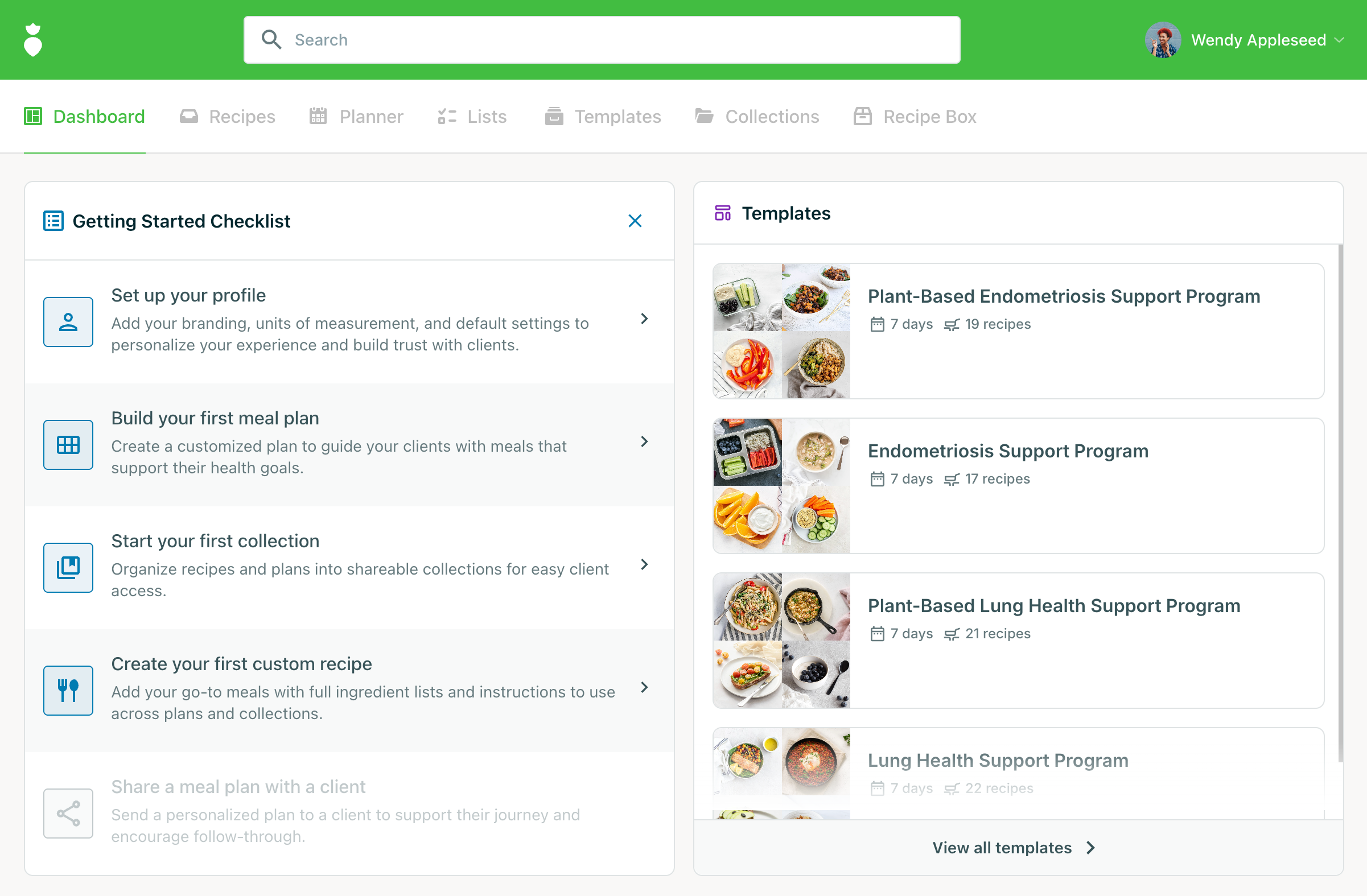
Click through each item in the Getting Started Checklist to explore key features, such as building meal plans and creating collections. As you complete each step, the checklist will track your progress and tuck itself away once everything is done.
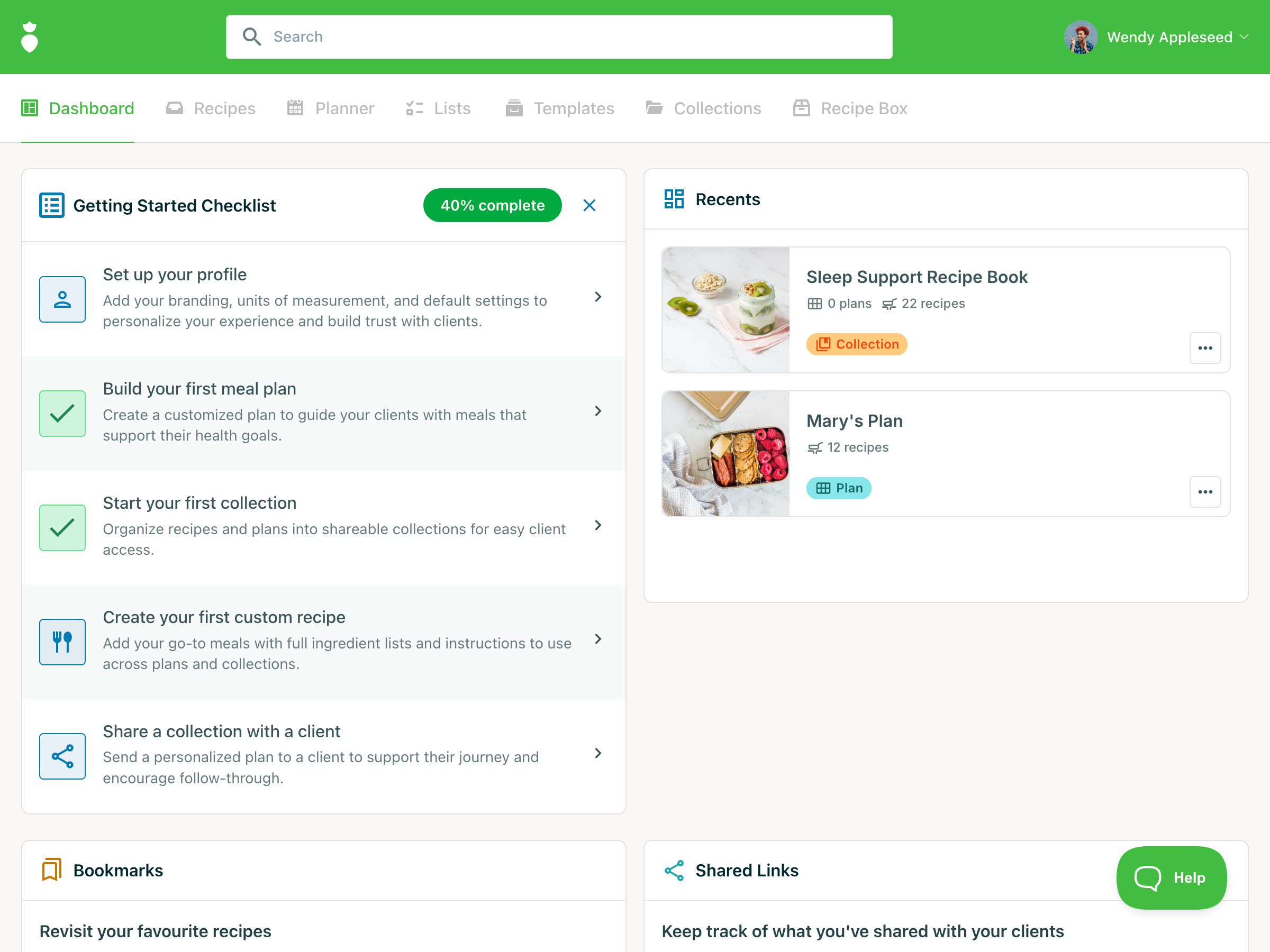
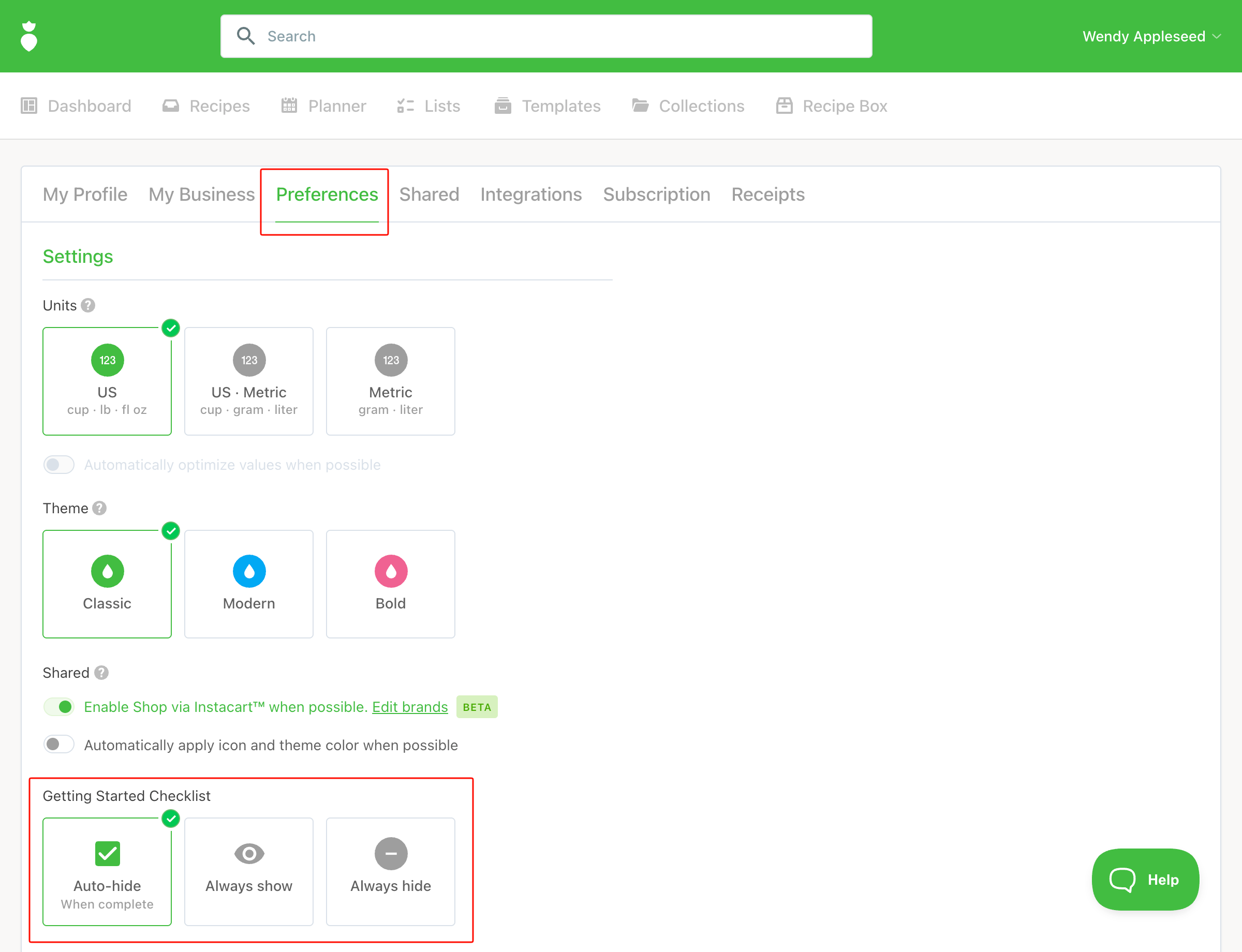
If you'd like to revisit the Getting Started Checklist at any time, go to your profile Preferences, update the Getting Started Checklist setting, and click Save. Head back to your Dashboard and it will be waiting for you.
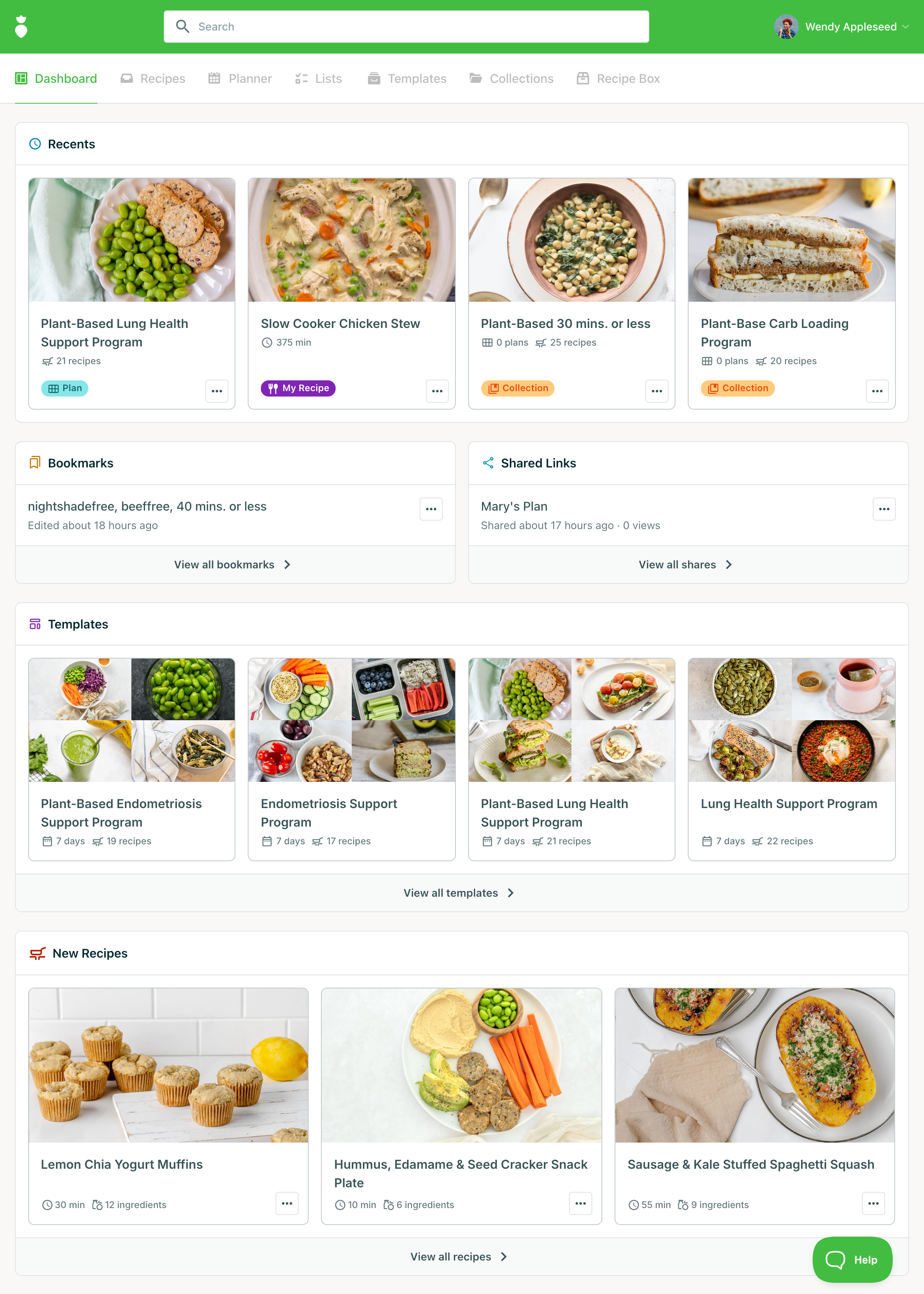
What You'll Find on Your Dashboard
The Dashboard is organized into different sections, each surfacing something useful at a glance. There's nothing to configure here; the Dashboard automatically stays up to date as you work and as new content is added.
- Recents: A running view of the plans, recipes, and collections you've been working on most recently. Think of it as a shortcut back to whatever you had on the go.
- Bookmarks: A quick view of your saved bookmark filters for recipes. For a full walkthrough of how Bookmarks work, check out our Bookmarks article.
- Shared Links: A summary of resources — plans, collections, and recipes — that you've shared with clients. For more on sharing content, visit our Shared Links article.
- Templates: A curated selection of meal plan templates created by the That Clean Life team, ready for you to use and customize. Learn more about
- New Recipes: The latest recipes added to the That Clean Life library. New additions appear here automatically, so you never miss what's fresh.
The Dashboard looks and works the same across all subscription plans and is accessible on both desktop and mobile, adapting to your screen size. To return to it at any time, simply click Dashboard in the top navigation bar.