How Do I Cancel My Subscription?
You can cancel your subscription any time without hassle or penalty through the Subscription area of your profile.
Note
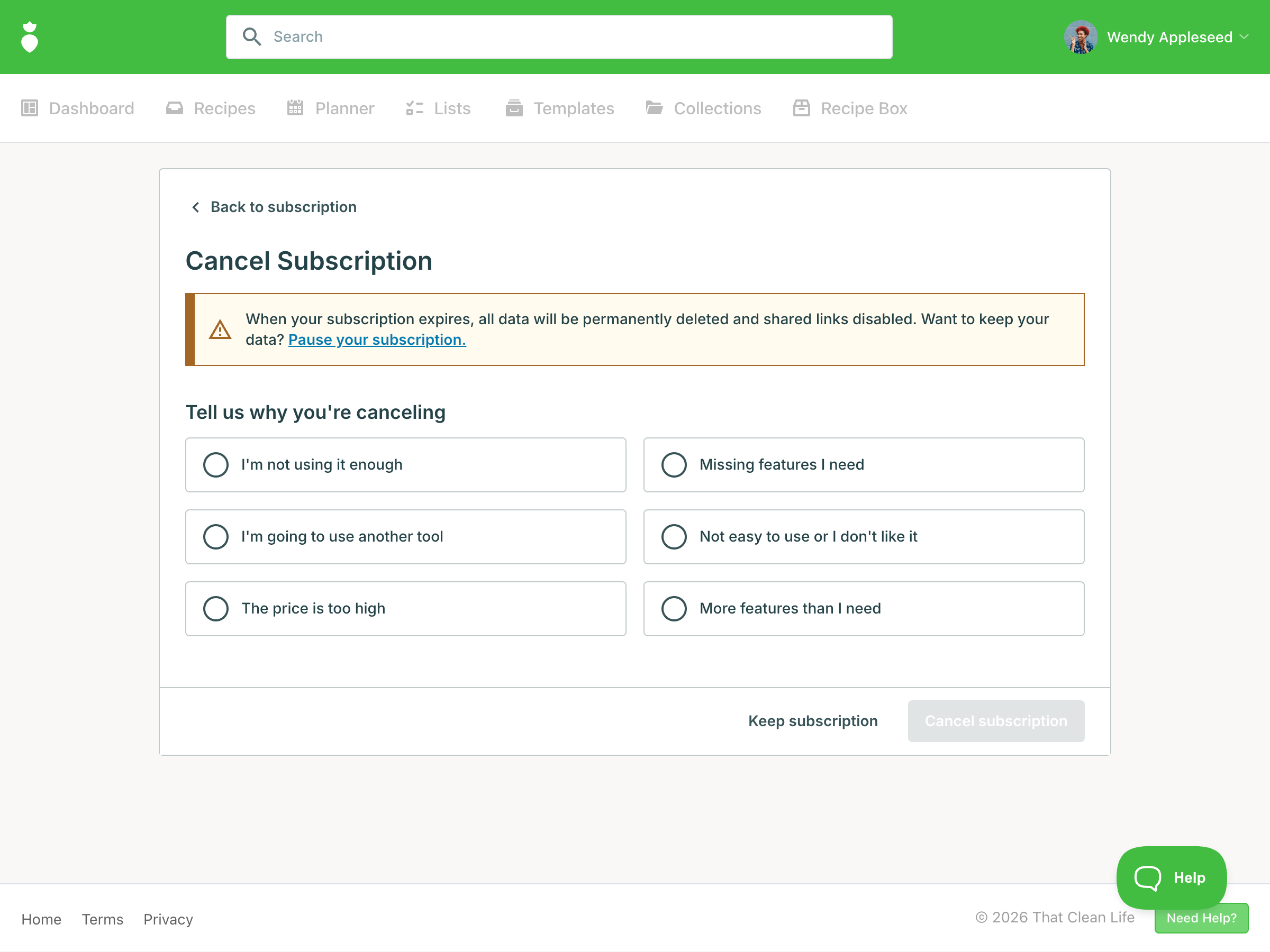
Monthly Subscribers: When your subscription expires, all data and content will be permanently deleted, and any shared links will be disabled and have their stats reset. This action is irreversible.
You can pay to pause your subscription and retain your data.
Yearly Subscribers: Upon cancellation, you will continue to have data and content stored free-of-charge. When your subscription expires, any shared links will be disabled, and their stats will be reset. You can re-enable shared links when you reactivate your annual subscription.
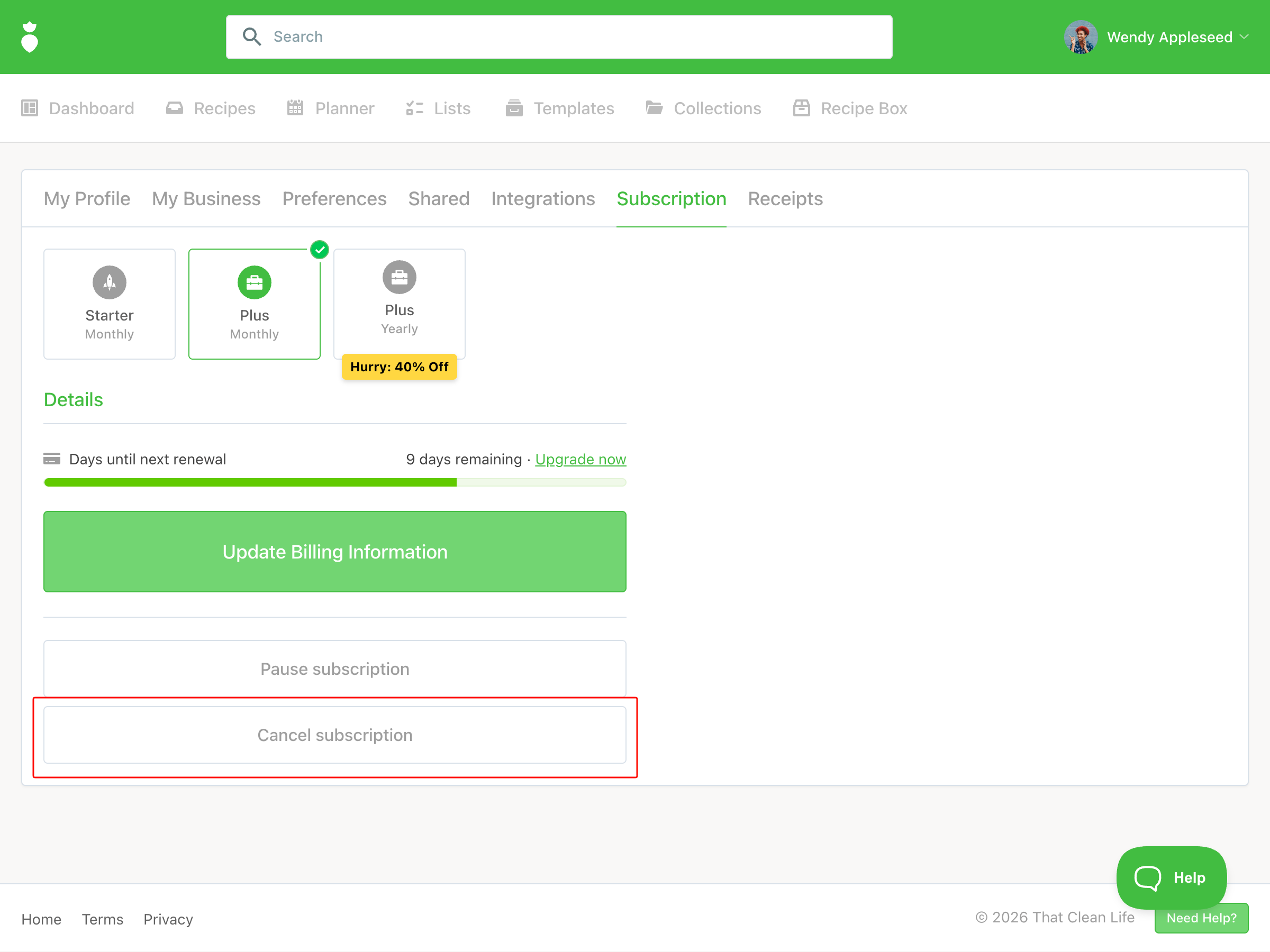
To cancel your subscription:
- After you have logged into That Clean Life, click on your name in the top right hand corner, then click on Your Profile.
- Click on the Subscription tab.
-
Click on the Cancel Subscription button.
-
You'll be prompted to provide a reason for cancellation. PS: We read each and every cancellation reason and do our best to incorporate constructive feedback into our software — thank you for taking the time!
- Your subscription details will update and you will receive an email to confirm the cancellation. If you do not receive a confirmation email please reach out to support@thatcleanlife.com.
